Create a new dashboard
Each personal dashboard is an independent canvas — its own layout, its own widget set, its own URL. You can have as many as you need (e.g. one per project, one per workflow, one per role).
Goal
Create a new personal dashboard by forking the one you're on, then rename it and land on it ready to customise.
The + Add dashboard button forks the dashboard you're currently viewing into a fresh personal copy — it does not open a blank-name modal. The new dashboard is created immediately, named "My copy of <current name>", seeded with a copy of the current dashboard's widgets, and activated. Rename it afterwards via Dashboard configuration…. This means a new dashboard always starts from a working layout rather than an empty grid.
Prerequisites
- Personal dashboards must be enabled by your admin. If the + Add dashboard button is hidden in the sidebar, it has been switched off — see your administrator (or the admin guide).
Steps
1. Open the dashboard you want to base the new one on
The fork copies this dashboard's widgets, so start from whichever layout is the best starting point.
2. Open the sidebar and click + Add dashboard
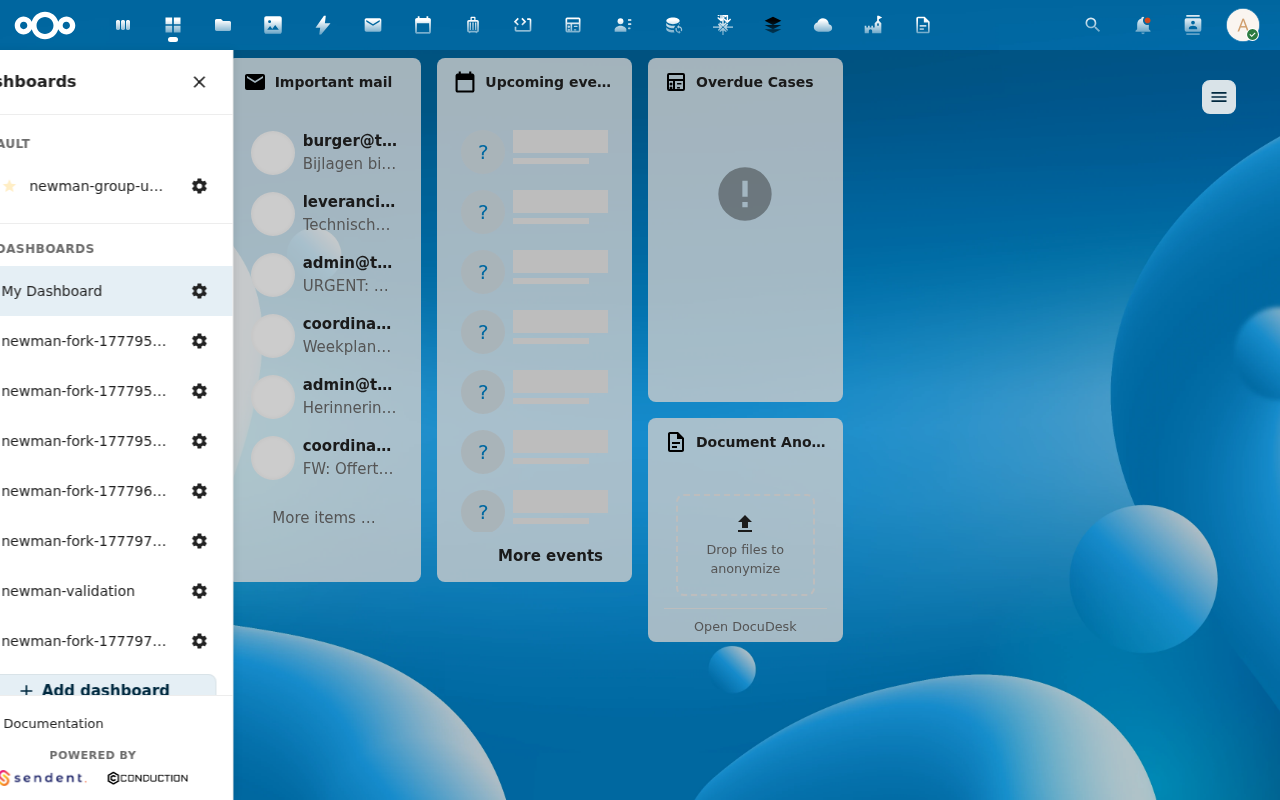
A new dashboard named "My copy of <current name>" is created and activated immediately — no modal, no Save step. You land on it at its own URL.
3. Rename it (and set an icon)
Open the active dashboard's cog menu → Dashboard configuration… and edit the Name, optional Description, and Icon (a searchable Material Design Icons picker plus a Custom tab for a URL/upload). See Rename or delete a dashboard.
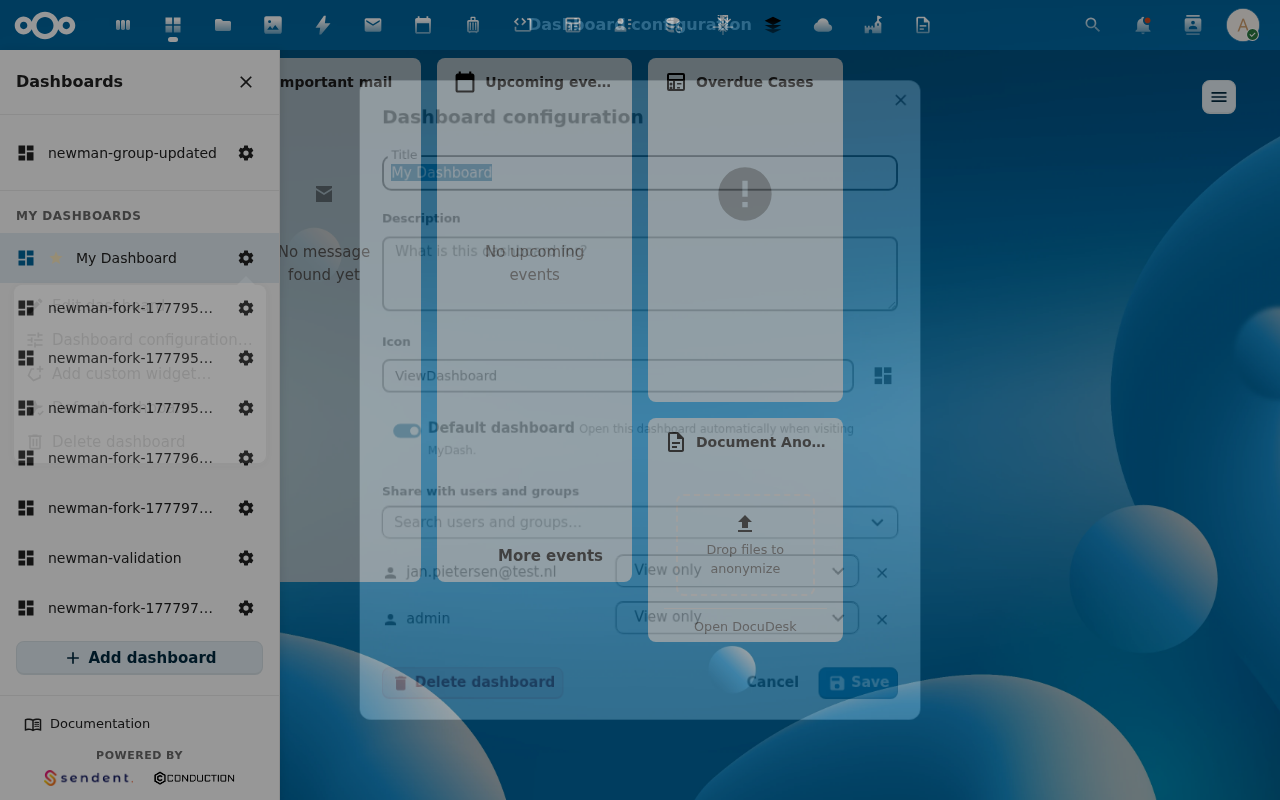
You can now add more widgets, reposition them, or pin this as your default.
Verification
- The sidebar shows the new "My copy of …" dashboard, highlighted as active.
- The URL bar reads
/apps/launchpad/<auto-slug>— the slug is auto-derived from the name. - The grid contains a copy of the widgets from the dashboard you forked.
Common issues
| Symptom | Fix |
|---|---|
| + Add dashboard button is missing | Personal dashboards are disabled by your admin. |
| The new dashboard has the wrong widgets | It copied the dashboard you were viewing — fork from a different one, or remove the unwanted widgets. |
| Two dashboards share a slug | Rename via Dashboard configuration; the slug re-derives from the new name. |